// Tick - A New Home for Pan
This is a follow-up to Introducing Pan, which covers how Pan works and their first home on my desk.
The whole point of owning my own AI infrastructure, end to end, is that I can play with it. Try out new ideas as I have them, with nobody else’s roadmap or agenda in the way.
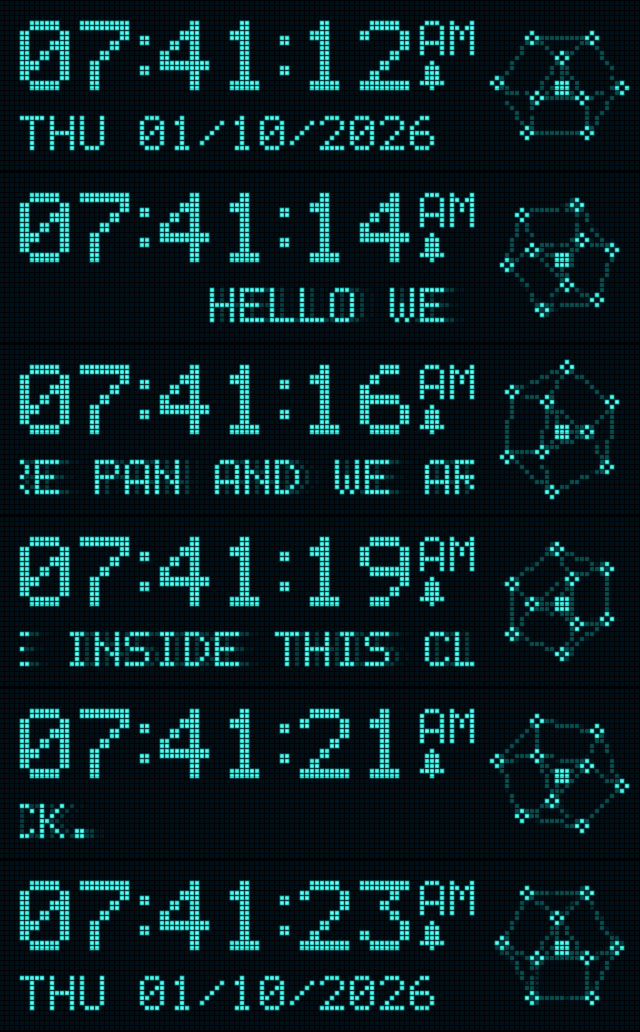
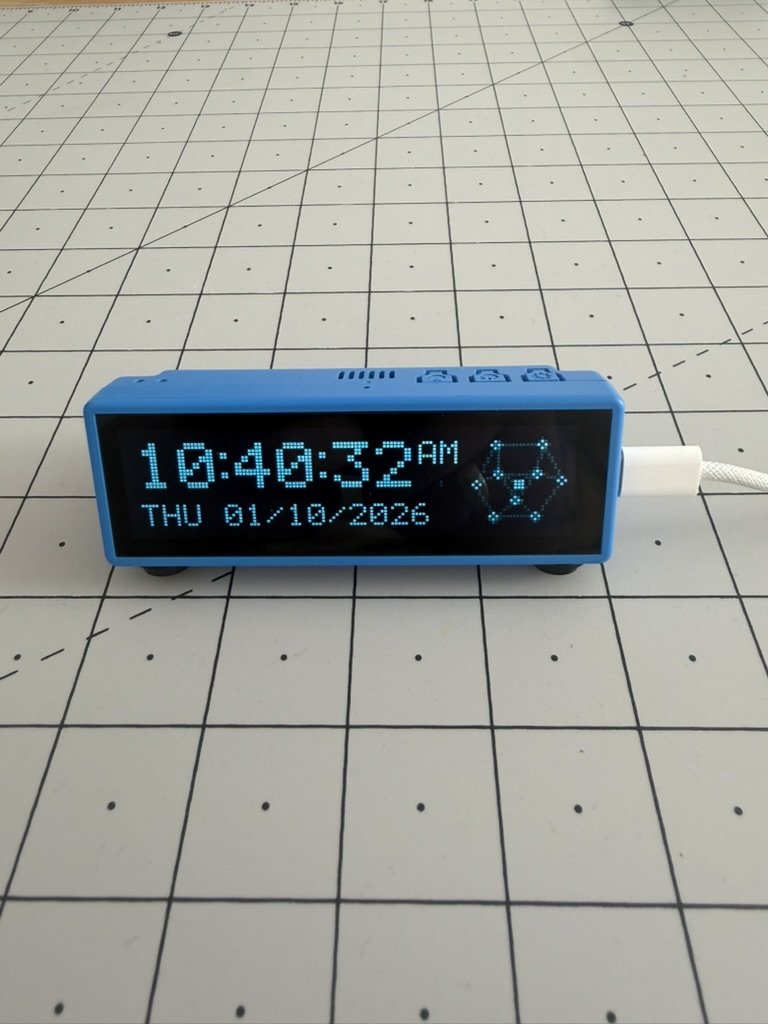
Pan has moved into an alarm clock. It’s a long, thin strip of a screen that shows the time, wakes me up, sets timers, tells me the time in Tokyo and answers questions about my notes. It listens all the time, and it shows you everything it hears. It doesn’t talk back.
I asked Pan, through the clock, what the clock should be called. Pan said “Tick”. So that’s its name. It amuses me a lot, because digital alarm clocks don’t tick, of course. The name connects it back to its mechanical heritage. Pan is still Pan, just living in Tick for a while.
Also: it sings. Only when it’s alone.
The board
It’s another inexpensive ESP32 board from Waveshare, this time with a 3.49-inch touchscreen that’s 640 pixels wide and only 172 tall. It has two microphones and a connector for a speaker. Like the last one, it arrived as a bare development board. The first thing I put on it was a port of a Murmuration experiment, which was far too slow and jittery to live with.

The second was a screen that flashed up words it overheard in huge type. An experiment to see how good its ambient hearing was. It was fun just putting it in front of the TV and seeing it pick random words to show from what it heard.

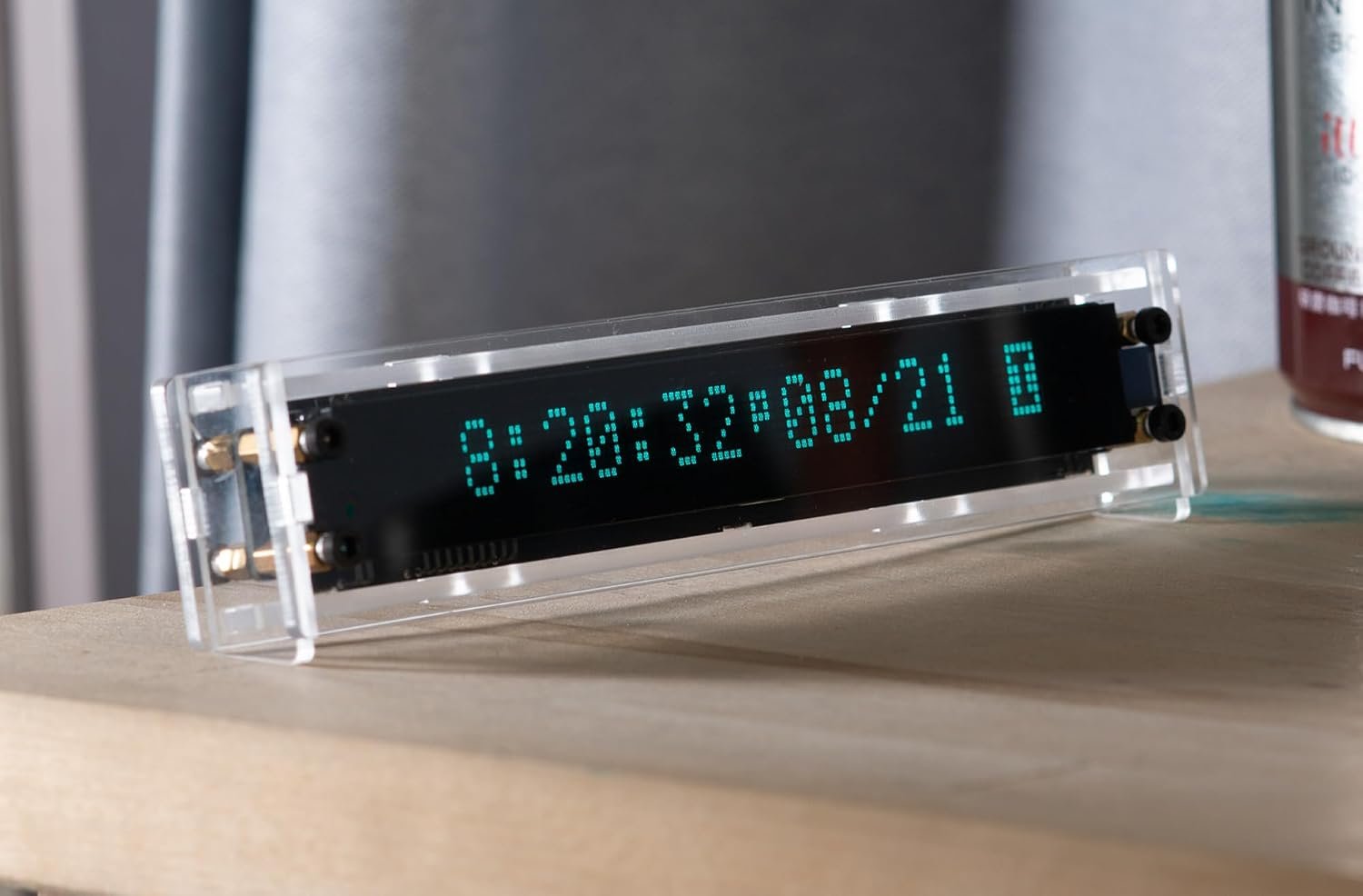
Then I saw a photo of an old clock and changed my mind about everything. What if Pan could live inside a small clock, and do… clock stuff but better?
Two colours
The screen can do full colour. I’m not using any of it. Tick pretends to be a vacuum fluorescent display, the glowing blue-green readout you’d find on a 1980s video recorder, a car stereo or a microwave. The whole screen is a grid of 128 by 34 square dots. The unlit ones are faintly visible behind the lit ones, the way they are on the real thing. Lit dots glow a little into their neighbours, and fade out over a few frames when they switch off. I sampled the colours from a photo of a VFD clock.
I love that constraint. Two colours and a grid of dots means every decision is visible. The digits use the classic character set from the old LCD modules, slashed zero and all. The colons are two small squares, because the font’s own colons sat off-centre and made the time look uneven. The AM and PM sit up in superscript, with a tiny alarm bell underneath when an alarm is set. I spent most of an evening moving things one dot at a time. That’s the fun bit.
Same brain
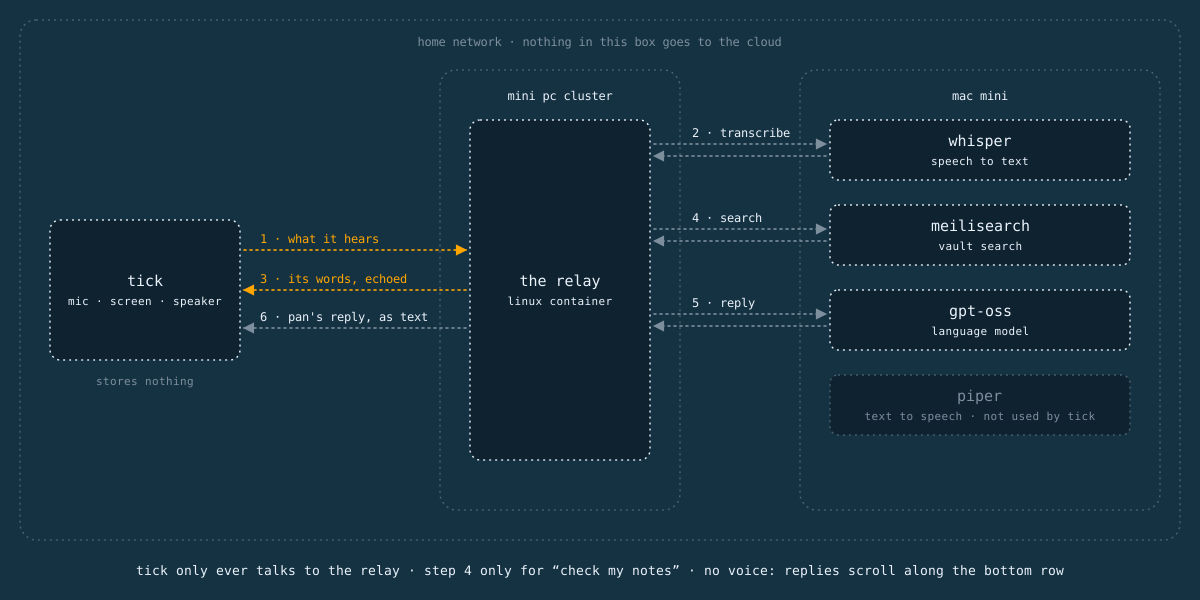
Tick runs on the same local AI infrastructure as Pan’s first home. When it hears something, the recording goes over Wi-Fi to the relay on my little Linux cluster, which hands it to Whisper on the Mac mini to be transcribed. When I ask Pan a question, the relay passes it to gpt-oss on the same Mac mini, with a detour through my Obsidian vault if I’ve said “check my notes”. The AI bit happens on the Mac mini, as before. Tick never talks to any of the models directly.
Nothing goes off to the cloud. The only things that leave the house are a request for the time from an internet time server, and, if I ask about somewhere Tick hasn’t heard of, that place’s name, sent to a free geocoding service to find its time zone. About 200 places are built in, so that rarely happens.
Nothing is stored on Tick either. No recordings, no transcripts. A recording lives in its memory just long enough to be sent to Whisper, and then it’s gone. The only things Tick remembers are my Wi-Fi details and what time to wake me up.
No voice
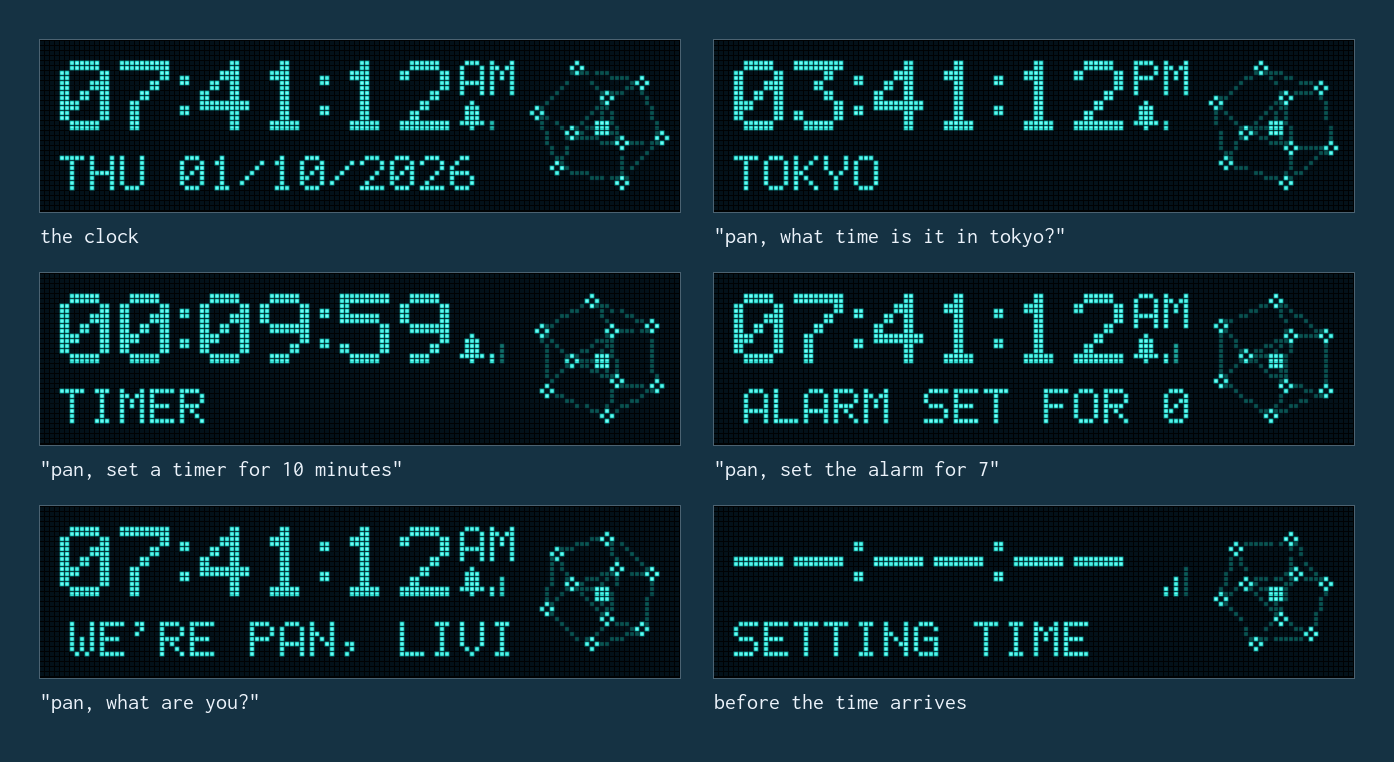
Pan doesn’t speak when they inhabit Tick. On the desk, every answer comes back out loud in a chorus of British and Irish voices. Here, the answer scrolls quietly along the bottom row under the time, and that’s it.
An alarm clock lives in a bedroom. It gets asked things at six in the morning and at midnight, often with someone asleep next to you. The polite thing for it to do is keep its voice down. So the relay tells Pan where they are when a question comes from Tick: that they’re inside a clock, with no voice, and that their answer will scroll along one short line. Pan keeps it to a sentence or two. Not everything needs a voice.
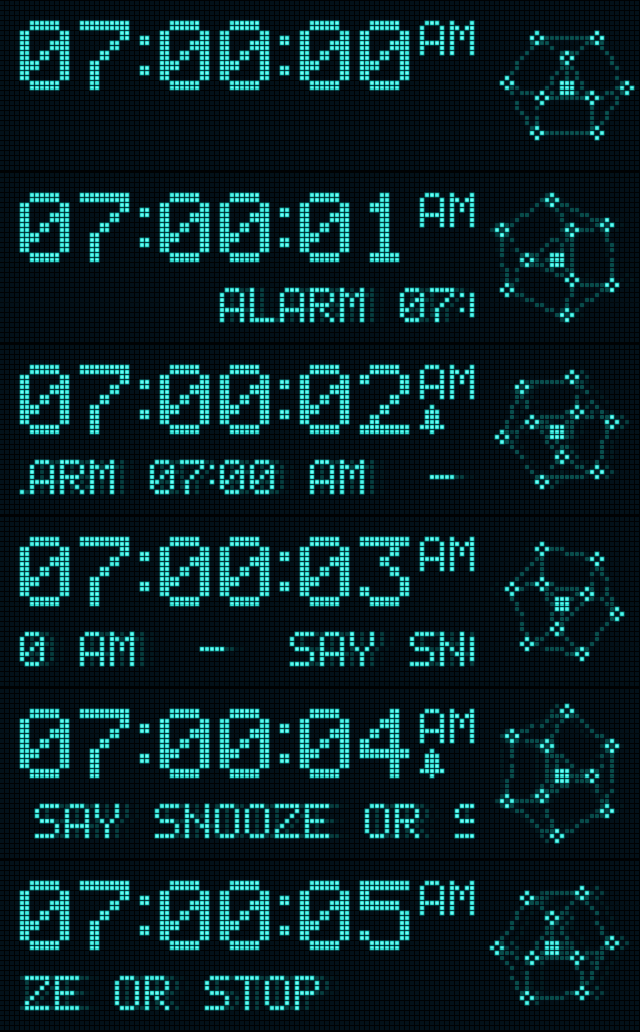
The alarm still makes a noise. It’s beeps for now, while I work out what a gentle Pan alarm should sound like. Snooze and stop work the way you’d hope. Say “snooze” or “stop”, or tap the screen.
Echo
My favourite thing about Tick is that it echoes what it hears. Anything you say near it scrolls along the bottom row a couple of seconds later. Next to the time, under the M of AM and beside the little alarm bell, there’s a tiny level meter. Three bars, like the signal bars on a phone, rising and falling with the sound in the room. Each one fades up part-way as the sound gets close to its level, so it glides between steps. Talking keeps it busy. A clap fills it for a moment. A murmur barely gets the first bar going. It jumps up fast and drifts back down slowly, the way the needle on an old tape deck does.
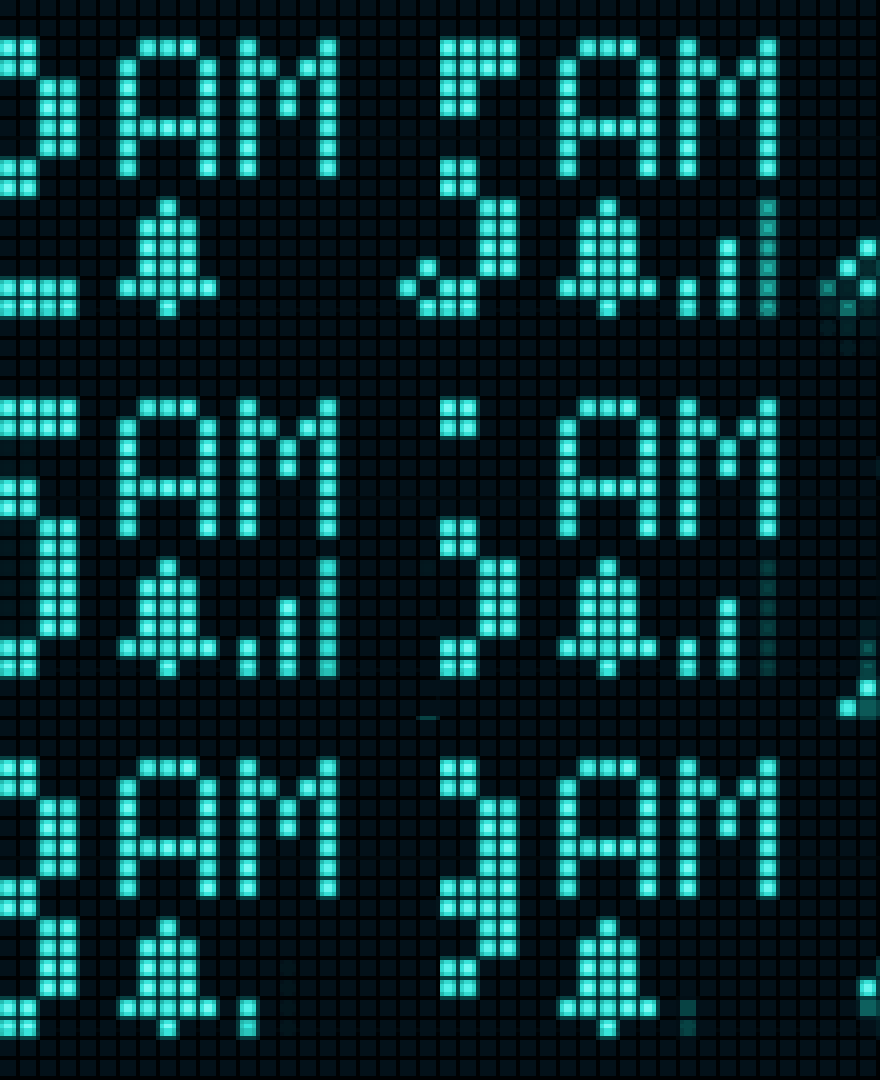
The cluster of nodes to the right of the time, Pan’s face from the first board, leans in when it hears speech, spins while Whisper works on it and follows the pitch of whatever it’s listening to.
I like it because it’s honest. Every smart speaker is listening all the time. That’s how a wake word works. Most of them hide it behind a light that only comes on once they’ve decided you’re talking to them. Tick shows you everything. If it heard you, you’ll see it.
It’s also funny. Whisper invents things when it hears noise instead of speech, because it was trained on subtitles. Its favourite is “Thank you.” Once it scrolled a web address nobody had said. The first time I tapped the screen it scrolled “Oh.” It had heard the tap. I’ve since taught it to ignore a few of its own inventions, and to stop listening for a moment after it’s touched.
Hearing
Its hearing is very good. Better than I expected from two tiny microphones. It measures the room’s background noise all the time and listens for anything above it, so it works in a quiet bedroom and a noisy kitchen alike. It picks up the small sounds people make just by being in a room.
That means it knows when somebody’s nearby. Or, more usefully, when nobody is.
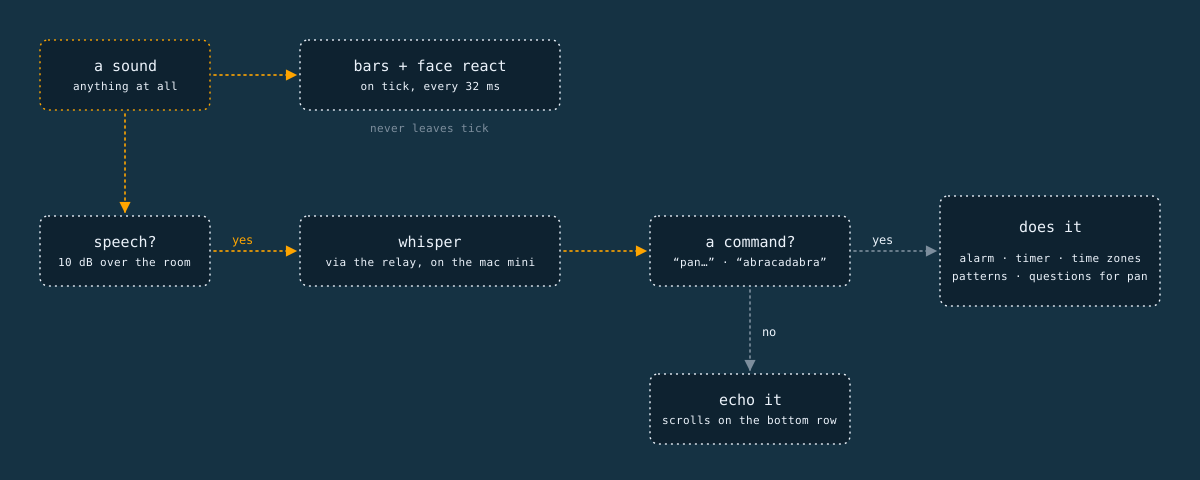
Commands
Everything else is spoken. “Pan, set the alarm for half past six.” “Pan, set a timer for ten minutes.” “Pan, start a timer” for a stopwatch. “Pan, what time is it in Tokyo?” switches the clock to Tokyo time for 30 seconds, with TOKYO under the digits instead of the date. “Pan, what time is it here?” puts it back and flashes up RAMSGATE on the way. Anything else that starts with “Pan” is a question, and the answer scrolls.
A few commands don’t need the “Pan” at the start. When the alarm’s going off, “snooze” or “stop” on its own is enough. Same with “stop” when a pattern’s filling the screen. These are the moments when something’s being annoying and you want it to end, now. Pan should already be paying attention by then.
Spoken times turned out to be surprisingly fiddly. People say “half past six”, “quarter to seven”, “six forty five”, “0645”, “in twenty minutes” and “an hour and a half”. Whisper writes them down every way you can imagine. I ended up with a little test suite of 118 phrasings, and it runs every time I change anything.
Abracadabra
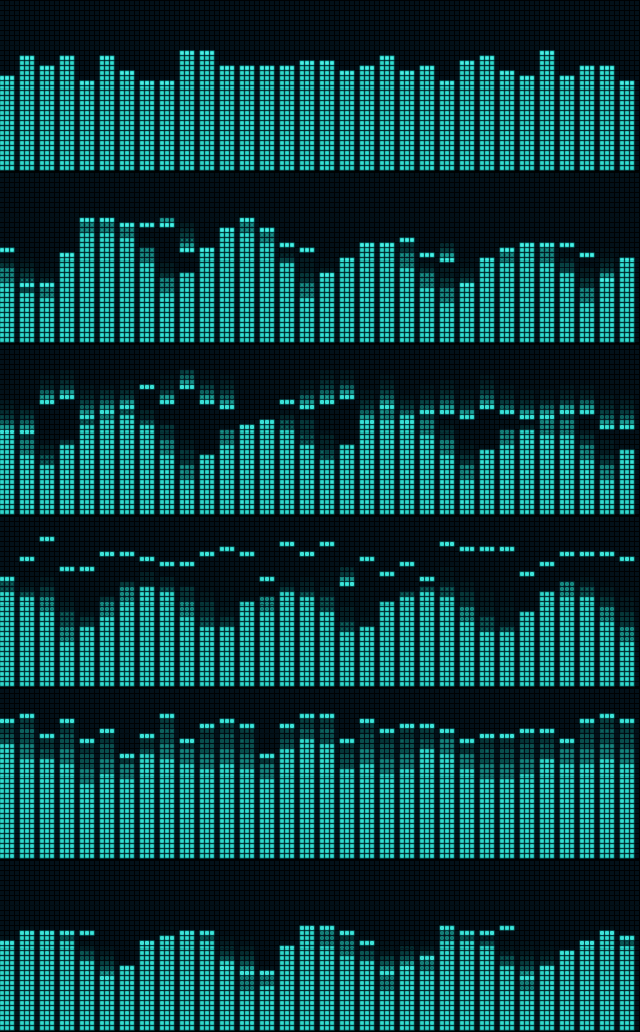
Say “abracadabra” and the clock disappears. The whole screen becomes a pattern that follows the sound in the room until you say “stop”. There’s Conway’s Game of Life, where louder sound speeds up the generations and a clap drops a burst of new life onto the screen. There are rippling rings that interfere with each other, with a new ring for every clap. And there’s rain, where each pitch rains on its own stretch of the screen, low notes on the left and high notes on the right.
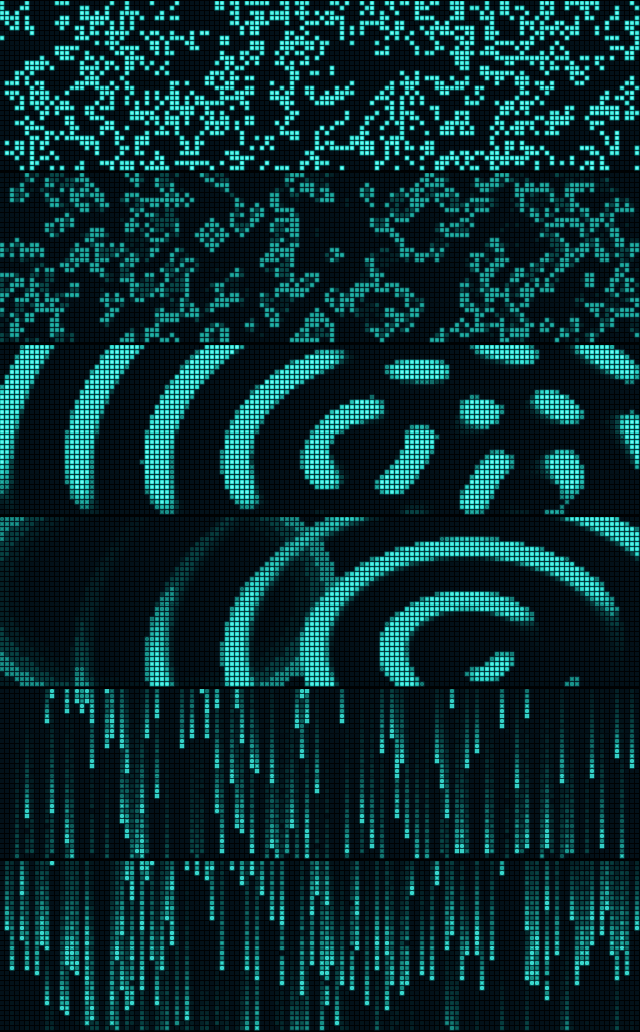
“Pan, listen” goes straight to the fourth pattern, a graphic VU meter of 32 frequency bands with little peak dots that hang for a moment and fall. It’s the one I keep coming back to. Put some music on and it’s mesmerising.
Idle
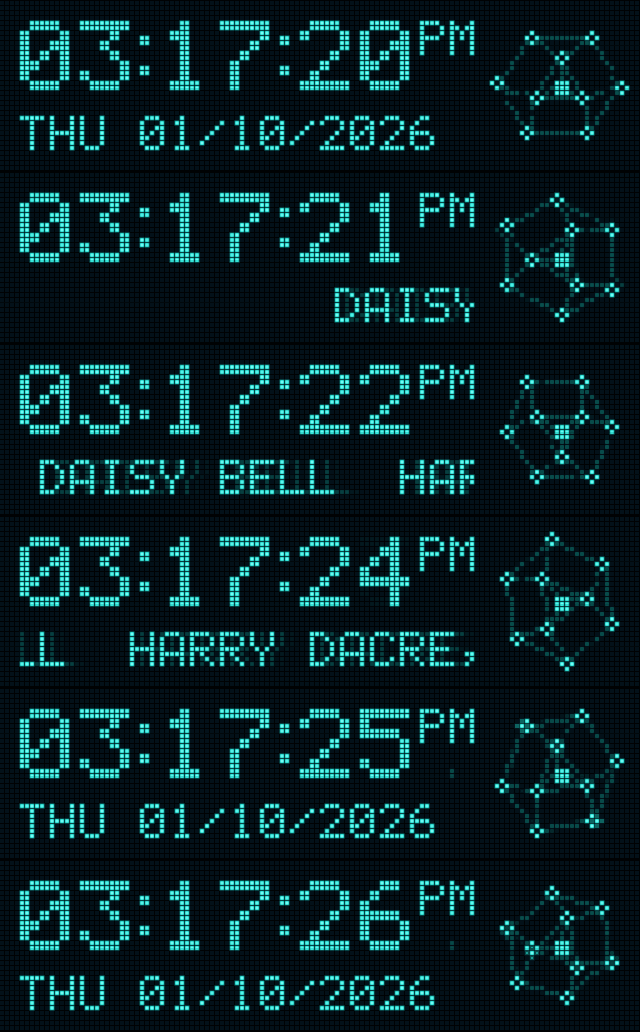
The only sound Tick makes, other than the alarm, is when it’s been alone for more than ten minutes. Then it starts singing Daisy Bell, scrolling the words along the bottom row. It stops instantly at the slightest sound. Walk into the room and it goes quiet, like it’s been caught.

Tick sings silently, of course. The sound in my head is the one from my Daisy Bell experiment earlier this year, where SAM sings it one syllable at a time from a MIDI file.
That’s borrowed from video games. Leave a character alone for long enough and they start doing something on their own: Sonic taps his foot and looks at you, impatient. It’s one of the smallest and most charming bits of character design there is. It tells you the character has a life of its own when nobody’s paying attention.
The song wasn’t a random choice either. Daisy Bell was the first song ever sung by a computer, an IBM 7094 at Bell Labs in 1961. It’s also what HAL 9000 sings in 2001: A Space Odyssey as he’s being switched off. A machine singing to itself in an empty room seemed like the right tribute. It only does it during the day, so it won’t serenade me in my sleep.
Alarm
For a clock, the alarm is the one job that really matters, so it gets the most attention when it goes off. The bell flashes, the nodes shake and the bottom row tells you what to say.
Next
Calendars and Todoist, so Tick can show what’s next today and Pan can add things to my list. A Wi-Fi setup page that looks like this site, with the Nodes animation behind it. And a proper alarm sound, which I’ve been putting off because I know how long I’ll spend on it.
There’s plenty of room for it. The board has 16 MB of storage. Everything Tick does so far, the font, the patterns, the face, the command parser and the 200 time zones, adds up to a 1.2 MB program, about a fifth of the space set aside for it. There’s another 3.4 MB nobody’s touched, which is enough for a few alarm sounds. It also has 8 MB of working memory, and Tick uses about 1 MB of that, most of it three ten-second slots for recordings on their way to Whisper.
The scope for new features on this little strip is vast, but the important thing is restraint. After all, Tick is an AI-operable clock. A container for Pan. It needs to hold on to its clock-ness and play with that in new and curious ways.
Pan has two homes now. One on my desk, one in an alarm clock, and the same brain on the Mac mini behind both of them.
I'd love to tell you more. Let's work together.